Why Create React App is not Good for Production? (Know these 7 Better Alternatives!)
Let’s assume you’re brand new to web development and you want to learn Reactjs. Most of the tutorials and even chatGPT tell you to use an official tool called create-react-app, but it’s a trap if you use it, you already failed your react developer admission test and as a punishment you now need to go learn ember.js xD
Bloggers and YouTubers have been warning people against create react app for quite a while but the discussion really heated up with this pull request from Theo suggesting the removal of this tool from the react docs altogether.
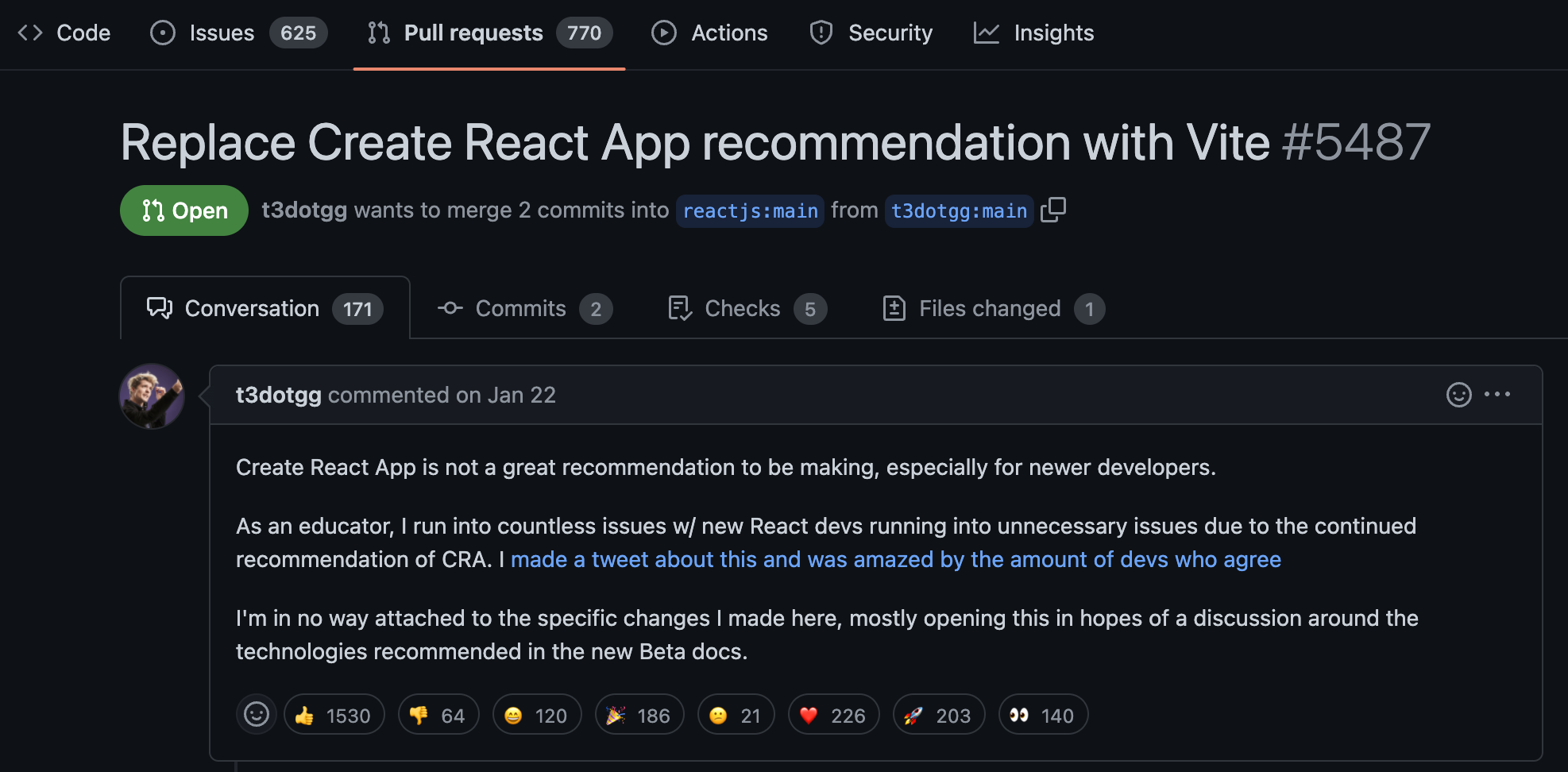
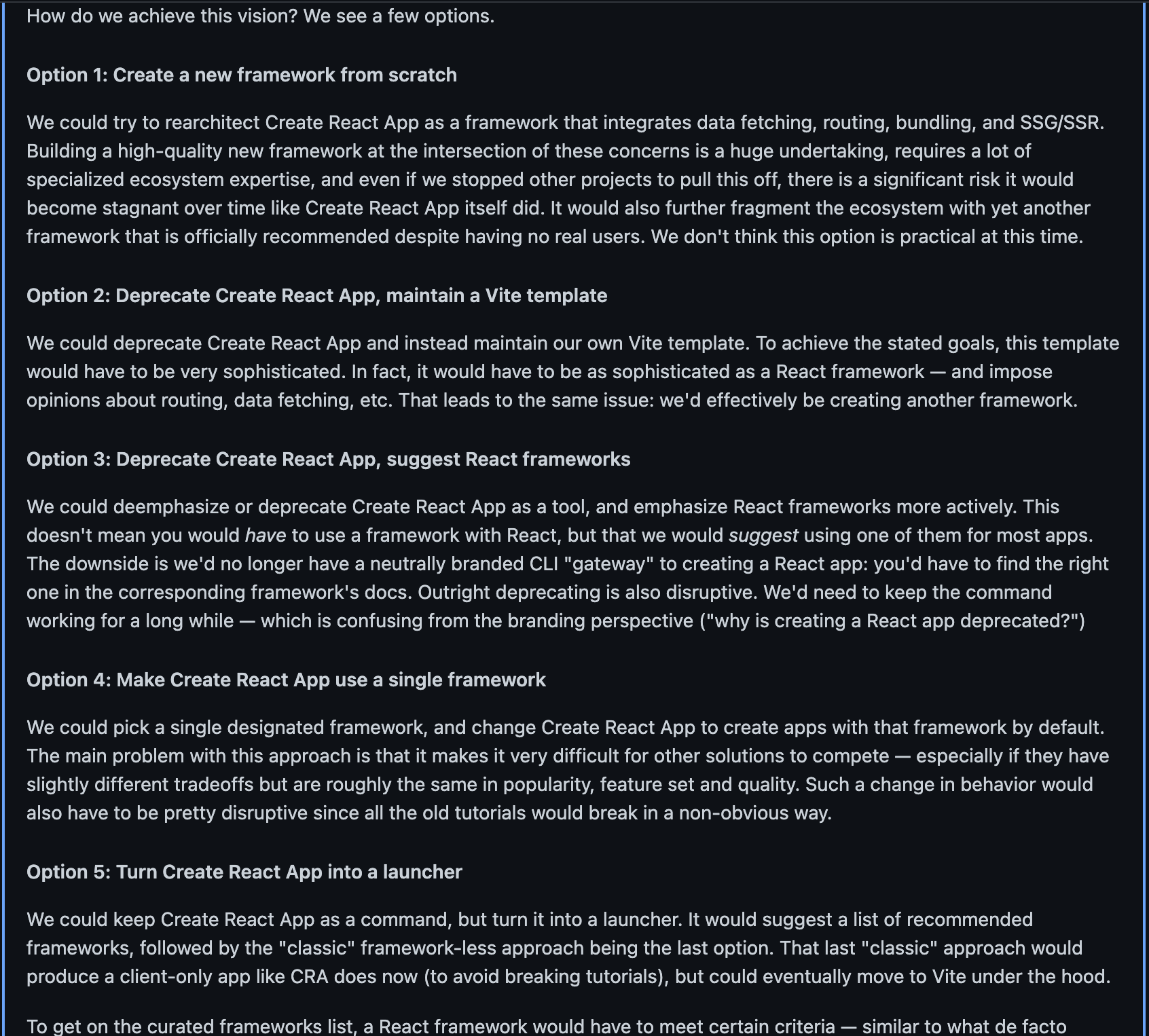
Dan from the react team responded with five different potential options to salvage the sinking ship.
Why You Shouldn’t Use Create React App
But what’s with all the hostility in the first place?
The problem with it is that it’s slow in development, the most significant issues are related to development speed, tooling, and flexibility, it builds the entire application upfront, even if you are only working on a small part of it. This can make it frustrating to work with, especially when you are trying to iterate quickly.
It is a pain to set up with popular tools like Tailwind and Typescript, and most importantly there are just tons of better options to get started with react and the modern ecosystem.
In this article, we will look at why Create React App may not be the best choice for you, and explore alternative options to help you get started with React development.
Alternative Options for React Development
If you want to get started with React development, there are several alternative options that you can consider. Here are some of the most popular choices:
1. StackBlitz and CodeSandbox
If you want to experiment with React or any front-end framework without installing anything on your computer, web-based development environments like StackBlitz and CodeSandbox are excellent options. These tools allow you to run React in the browser without needing to install dependencies on your system or deal with module bundlers. This makes them an ideal choice for learning and prototyping.
2. Vite
Vite is a fast, lightweight build tool for modern web applications. It is similar to Create React App in that it provides a starting point for building a React application, but it is much faster in development. Vite builds your application on demand using native ES modules and the Esbuild compiler, which scale better for big projects. It also uses Rollup for module bundling, which is faster than Webpack. Vite has a TypeScript template out of the box and supports any modern libraries you want to use.
3. NX
NX is a tool known for building monorepos, but its CLI can also build plain React apps. When you set up a new project, you can choose your own bundler, such as Vite or Webpack, or even future bundlers like RSPack. NX is set up with TypeScript by default and has other useful tools, like generators that can automatically add dependencies or scaffold out the boilerplate for components and libraries. It also does task caching, which can be a game-changer for large teams.
4. Next.js
NX can be used in other react frameworks as well but what if you want more than just a single page application? Well, that’s where react rendering frameworks AKA Meta Frameworks come in, with the most popular option being Nextjs.
The main difference when building a NextJS App is that you have a special directory like /pages or /app that can structure routing for a multi-page application and pages can be rendered on the server to improve search engine optimization and performance.
It also does server-side data fetching with react server components to build full stack applications with minimal external dependencies.
Like here we’re using async await in a component that can run universally both on the client and server and it provides tons of other features like image optimization and middleware that you likely want on a serious production project.
5. Remix
Nextjs is not the only game in town, Remix is a similar framework that was recently acquired by Shopify that provides many of the same features like file system based routing. Nextjs and Remix have been competing over the last couple years which is awesome for react developers because now we have two excellent rendering frameworks to choose from.
The biggest difference is related to data fetching, Nextjs uses react server components while remix does not, both frameworks solve many of the same problems but there are many subtle differences in the developer experience.
At the time of this blog, features like nested layouts and streaming are in beta in Next.js while they’re fully stable in Remix, so Remix one step ahead of the game here when it comes to Innovation.
6. Gatsby
But yet another react rendering framework to think about is Gatsby.
It’s not as hyped up as it used to be, but it was just acquired a couple days ago by Netlify. Originally it was popular for building content heavy statically generated sites but it also supports server side rendering just like NextJS and Remix.
The most striking difference is its focus on Graphql to provide a data layer for your application. It has this thing called Valhalla content Hub that creates a single graphql API for all of your data sources that can be accessed with zero configuration from a Gatsby frontend.
If you’re looking to migrate a content-driven app to React, Gatsby has a lot more tools in place to make that process happen faster and seamlessly, it’ll even ask you which CMS you want to use during the initial setup and will also add features like markdown.
7. Astro
Another great option for a Content heavy site is Astro, unlike all the other frameworks we’ve looked at Astro is not exclusive to React. It can also be used with Svelte, Vue, Solid, Alpine, Preact or all these frameworks simultaneously.
React is most useful for building highly interactive UIs, but in most Frameworks react takes over the entire Dom.
Astro on the other hand has its own templating language for handling the majority of your static content, then you can sprinkle in interactivity as needed.
Thanks to its Island’s architecture, not only does that simplify your code but it also results in huge performance gains because in many cases it eliminates the need to ship JavaScript to the browser, making your website load faster. It also just released version 2.0 that has a new feature called content collections where actual markdown content adheres to a schema allowing content heavy websites to scale up safely.
And now you have seven different ways to create a react app without using Create react app.
I’m not sure what the future holds for create react app, but if they go with option 5 it’ll turn into an app launcher that’ll point you to one of the Frameworks I mentioned in this blog or maybe they’ll go with option 6 which is to integrate generative AI into the tool where you just tell it what you’re trying to build and it automatically generates the starter project for you.
If the react team doesn’t do it, I think we’ll see a tool like this by the end of the year.
Conclusion
In conclusion, there are many different ways to create a React app without using Create React App. Each of the tools and frameworks listed above has its own unique features and benefits, and the right choice for your project will depend on your specific needs and preferences.
Whether you’re building a simple blog or a complex web application, there’s a tool or framework out there that can help you get started with React quickly and easily. So don’t be afraid to experiment with different options