Why React state does not update immediately in functional component?
React is a powerful library for building modern web applications. It provides a simple and efficient way to manage state, which is the data that controls the behavior and appearance of your app. However, if you’re new to React, you might be wondering why your state isn’t updating immediately in functional components. This can be a frustrating problem to deal with, but don’t worry – in this article, I’ll explain why this happens and how to solve it.
Understanding React State
Before we dive into the problem of state not updating immediately, let’s review how state works in React.
Though, if you want, you can skip directly to Solving the Problem section.
So, in React, state is an object that represents the current state of your app. You can update the state by calling the setState method, which is provided by the useState hook. When you call setState, React will schedule a re-render of your component, which means that it will update the DOM to reflect the new state.
Functional components are a newer feature in React and offer a simpler and more concise way to write components. They also have a more limited set of features than class components. In particular, functional components cannot use lifecycle methods or have their own state. Instead, they rely on the useState and useEffect hooks to manage state and perform side effects, respectively.
Why State is Not Updating Immediately
Now that we have a basic understanding of state in React, let’s get to the heart of the matter: why isn’t state updating immediately in functional components?
The short answer is that React doesn’t update state immediately because it batches state updates for performance reasons. When you call setState in a functional component, React schedules a re-render of the component, but it doesn’t immediately update the state object. Instead, it waits until the end of the current batch of updates before updating the state.
The reason for this behavior is to avoid unnecessary re-renders of your component. If React updated state immediately, it could potentially trigger multiple re-renders for every state update, which could lead to performance problems. By batching state updates, React can minimize the number of re-renders that occur and optimize the performance of your app.
Solving the Problem
Now that we know why state isn’t updating immediately in functional components, how can we solve this problem? There are a few approaches you can take, depending on your specific use case.
1. Use a Callback Function
One approach to solving the problem of state not updating immediately is to use a callback function. When you call setState with a callback function, React will update the state and then call the callback function after the update is complete. This ensures that the state has been updated before the callback function is called.
Here’s an example:
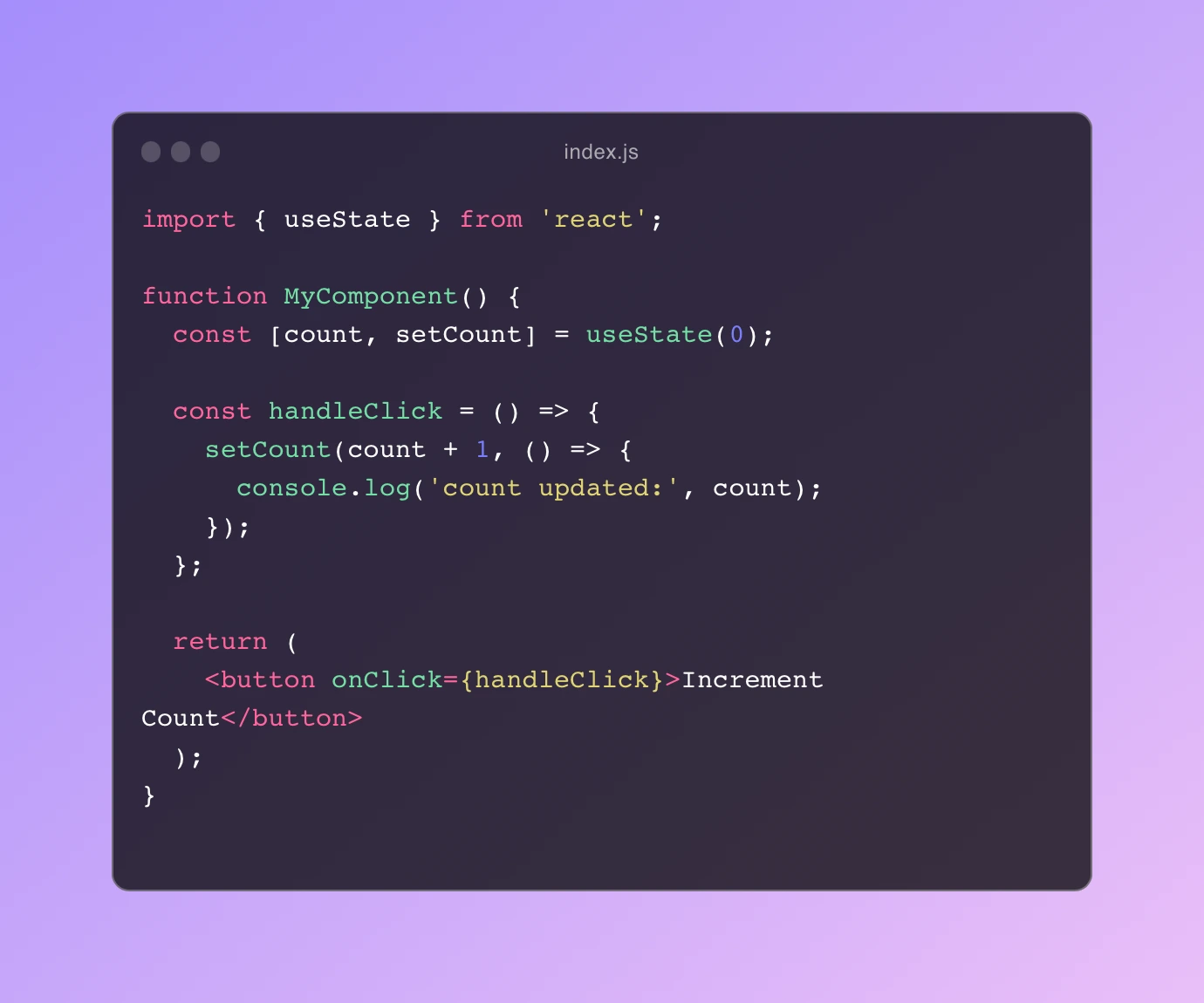
In this example, we’re using a callback function to log the updated state after calling setCount. The callback function will only be called after the state has been updated.
2. Use the useEffect Hook
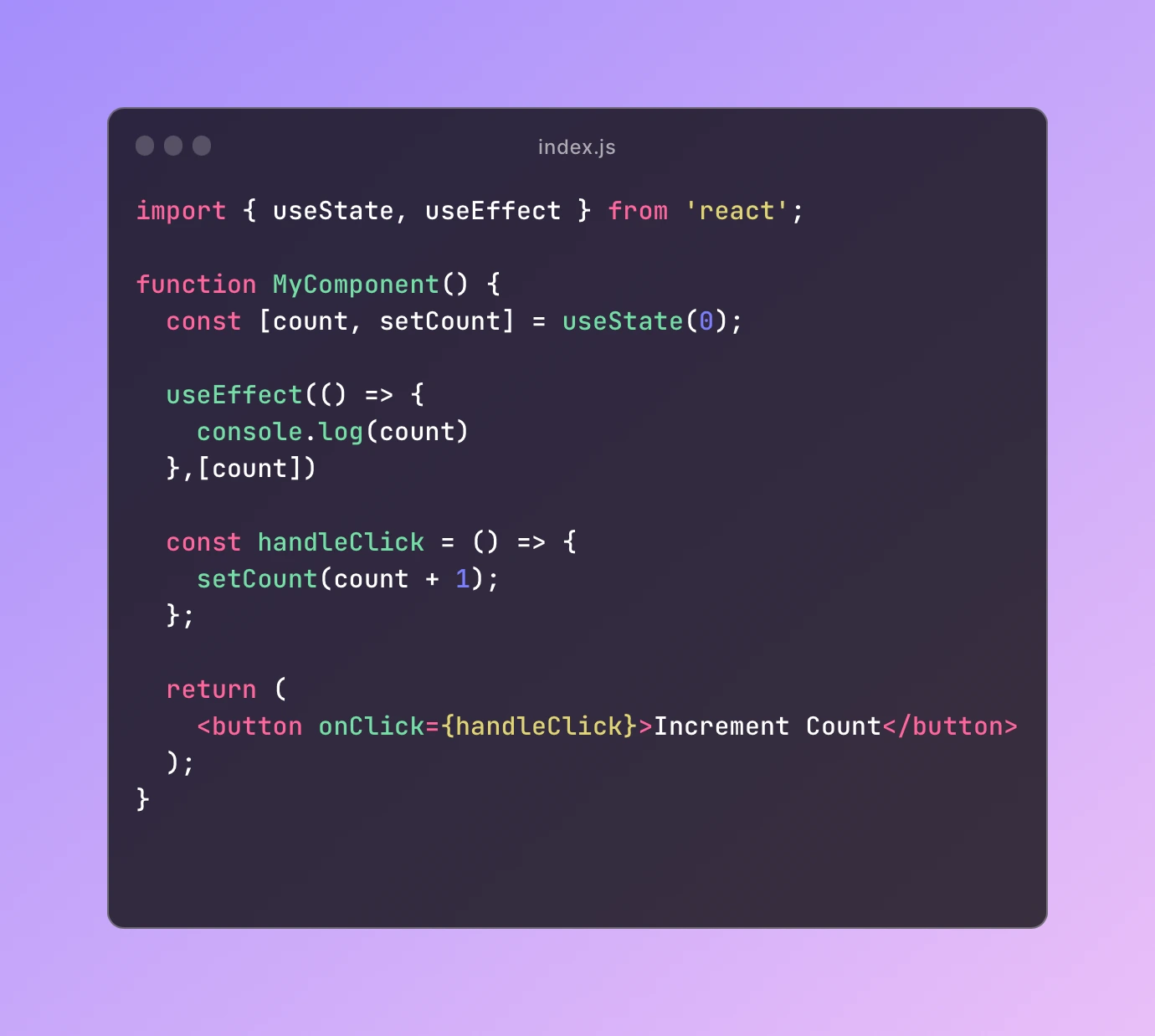
Another approach to solving the problem of state not updating immediately is to use the useEffect hook. The useEffect hook allows you to perform side effects in functional components, such as logging the updated state.
Here’s an example:
3. Use the useRef Hook
Now, if your application is updating the state inside a function which is called from a different part in the code and a function which is refering to that state is called from somewhere else, then you may find above solutions of no use and thinking that this article has wasted your time.
But don’t worry, I have been there and banged my head a lot to solve the issue of staled react states.
So how can we solve this issue?
Well, if you have heard of useRef hooks, they will come to rescue for us. Utilizing the above methods and combining them with useRef hook our problem will be solved.
So, after initializing a new variable with useRef hook, we can either go with the first approach or second to go forward with.
Using the first approach, we can update the value of ref variable’s current to the value of state.
Here’s an example:
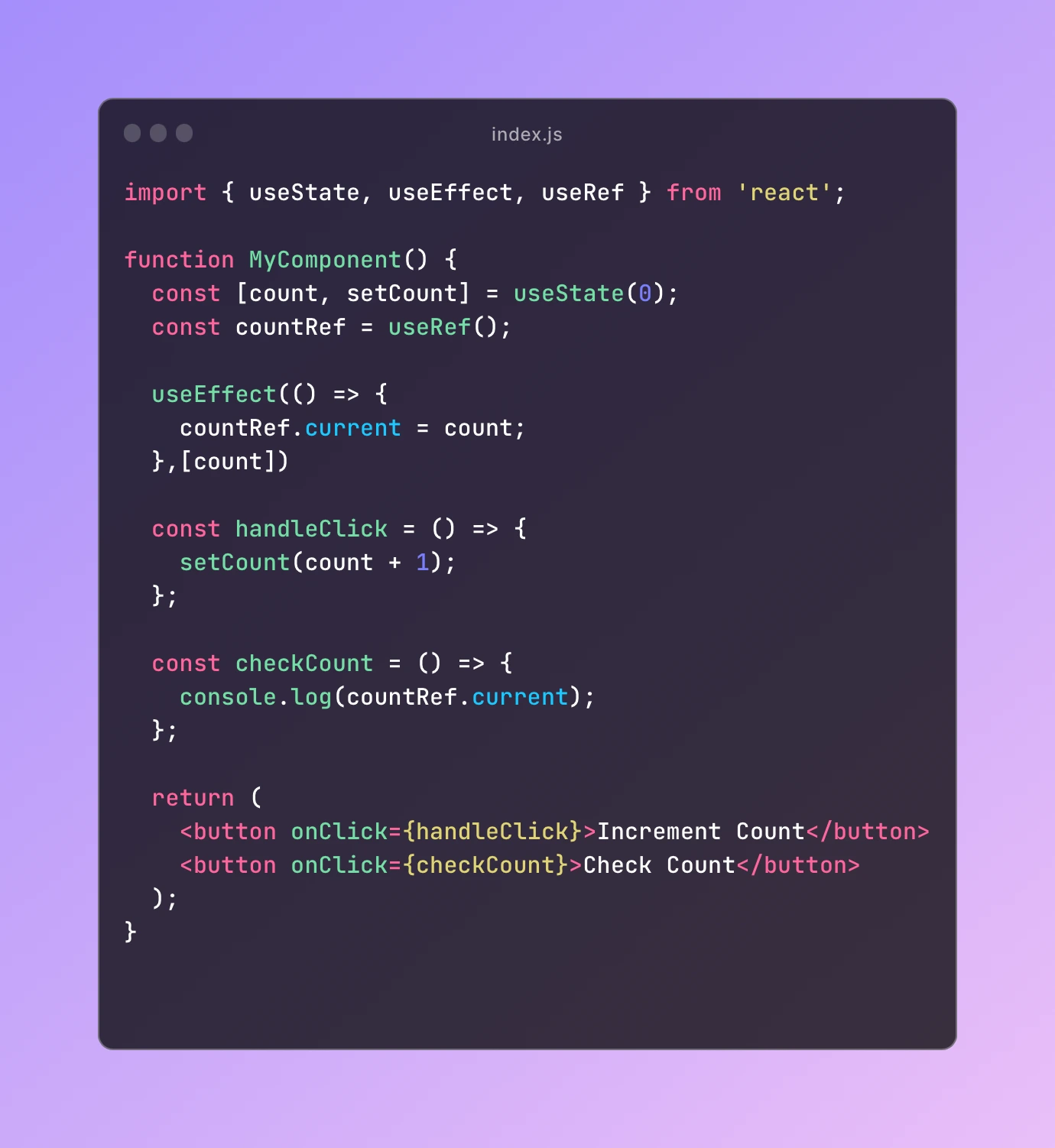
Now in the same way, you can update the value of the ref variable’s current value to the value of the state inside a useEffect hook by adding the state to the dependency of the useEffect so that whenever the state is updated, this useEffect will run and update the value of the ref variable.
So that’s about it for this article, I hope I was able to solve any of your doubts or problems you had with this article.
If you have any doubt, you can contact me using any of my socials.
Thanks for being here and taking time to read this article.
Peace.